

Beta 2 1,000+ fixes and improvements See what changed

Your photos.
Your machine.
Still yours.

Picasa and Windows Live Photo Gallery gave us fast, private, local photo libraries. Live Gallery brings that back for Windows 11 — indexing your folders in place, completely read-only toward your source directories, with face recognition, tags, filtering and RAW support that never leave your PC.

  • 100% local
  • Read-only source
  • Zero copy
  • No account required
  • No network code
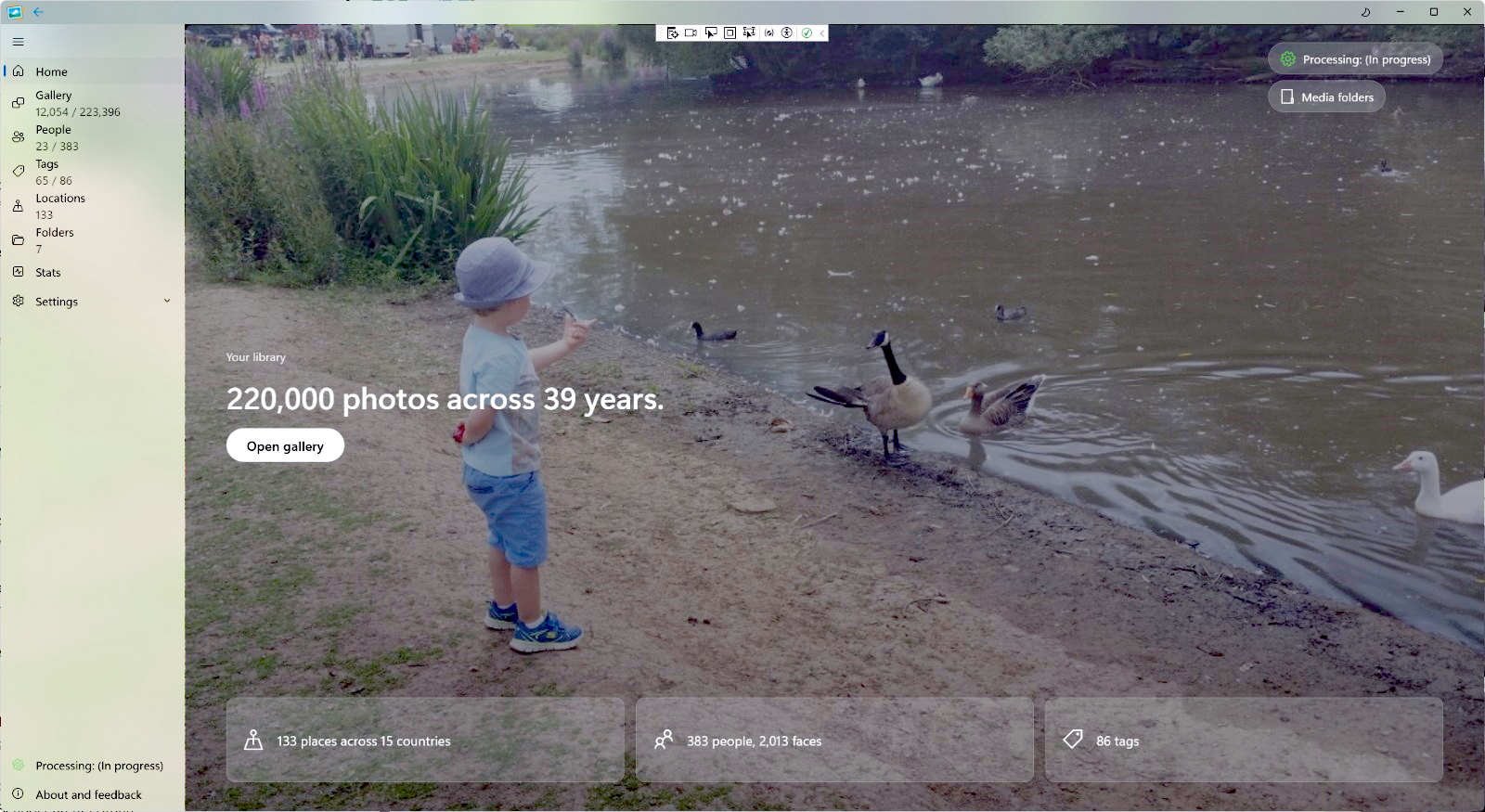
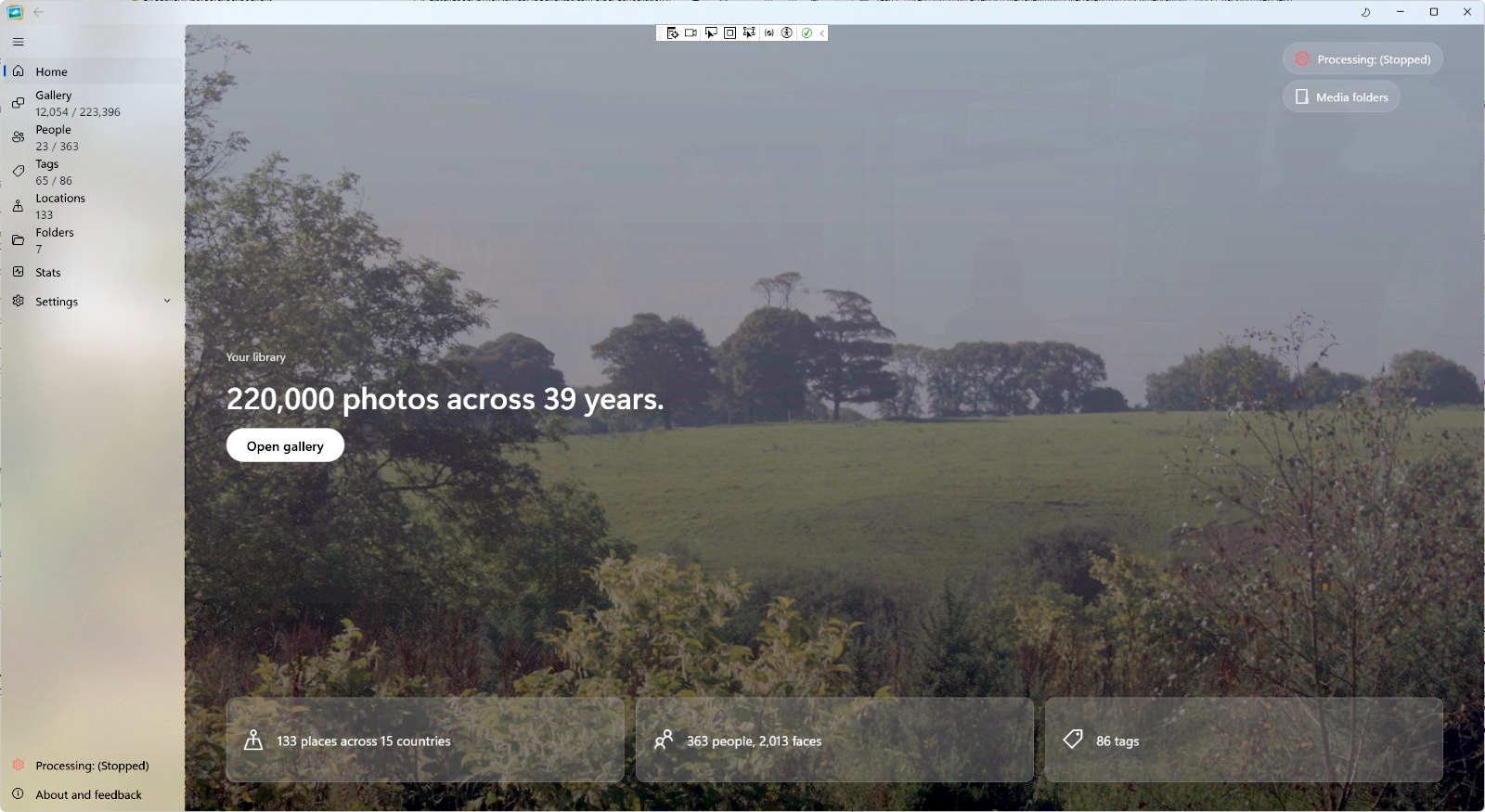
Live Gallery home screen showing 220,000 photos across 39 years, 383 people and 86 tags, over a child at a pond
0 bytes uploadedRead-only source. No copies. Everything stays on this PC.

Built on the bones of the tools you remember — without the cloud in the middle.

Read-only sourceZero copyNo uploadsFace recognitionRAW + HEICOne-time licence

The problem

Your library is not content. It’s a life, organised.

Somewhere between Picasa and the cloud, photo management stopped feeling like yours. Monthly fees, upload queues and a server deciding what happens to your memories.

Live Gallery is a return to the thing that worked: a fast local library, on your PC, under your control. No account. No upload progress bar. Point it at a folder and it gets to work.

0copies made of your library
0bytes uploaded by the app
5,000photos in the free public beta
1Mimages on the top licence
1×buy once, keep your features

The complete-manager checklist

Every promise, item by item.

The ideal photo manager has a specific list of promises: no copying, no upload, a real manager, metadata, faces, places, ratings, clean-up and a way to find things. This is where each one stands in Beta 2.

NowRead-only sourceNever writes into your folders. No create, rename, move or delete; the index and cache live under app data.NowZero copyIndexes the folders you choose. No import step, no second library, no duplicate of a terabyte archive.NowSQLite libraryThe catalogue is a standard SQLite file under app data, not a proprietary server database.NowZero uploadNo cloud, no account, no upload path. The photo app contains no network code.PlannedOne-time ownershipPlanned paid licences are one-time purchases, not a subscription. No service to cancel.NowA manager, not a viewerPeople, tags, ratings, locations, timeline and slideshow — not just thumbnails in a folder.NowMetadata awareReads the keywords, dates, camera details and GPS already stored in your files.NowPicasa .iniReads .picasa.ini sidecars: faces, stars, captions and album names. Ready now.NowWLPG metadataReads Windows Live Photo Gallery people, tags and face regions from the files. Ready now.NowFaces, locallyDetects and groups people on your PC. No cloud face database and no face upload.NowPlaces, offlineGroups GPS photos by country, region and city without sending coordinates to a map service.NowTags and ratingsReads existing keywords, adds your own tags, imports xmp:Rating and filters the keepers.Now + comingBrowse and findBrowse by face, tag or location; filter by folder and date. Free-text search is coming.NowClean-upAn optional duplicate scan for exact and near copies, with review before removal.ComingObject recognitionContent-aware search is coming. It is not part of this Beta 2 build.Not yetAlbumsNo separate album entity yet. Picasa album names are imported as tags.Not supportedMetadata write-backLive Gallery will not write tags or ratings into originals. The source folders stay read-only; export is a separate output tool.Coming soonExportA coming-soon tool to export all or part of the library by year/month, with duplicate filtering, resize, format and metadata options.Your callBackupsOriginals stay in the folders your backup already covers. The app is not a backup tool.

Picasa .ini and WLPG metadata are read in place and ready now. Search and object recognition are coming soon. The shipped ways in are faces, tags and locations, with folder and date filters.

Private, not just “private mode”.

No cloud, no account, no data sent from the app. Face recognition, filtering and organisation run on your hardware. Your source folders are read-only; only the app’s own index and cache are written, never your photos.

How privacy works
Picks up where you left off.

If you organised photos in Windows Live Photo Gallery, your people and tags are still sitting inside those files. Live Gallery reads them and brings the library back.

About migration

Fast at the size of a real library.

The beta is capped at 5,000 images while performance is refined. The same engine is built to handle libraries up to 1,000,000 images on the top tier.

See the tiers

A proper Windows app

Easy to use. Modern. Offline.

No servers. No setup ritual. Choose the folders you already have, press go, and browse. Live Gallery is a classic Windows desktop app with a Windows 11 finish — and it never needs the internet to open your library.

See the full feature set
Easy

Choose a folder. Press go.

No import queue, no server, no account. Point Live Gallery at the folders you already have and let it index them.

Modern

A Windows 11 app, not a browser tab.

Native desktop UI, light and dark themes, Mica materials, and GPU-accelerated face recognition.

Offline

The library opens without a connection.

The photo app contains no network code. Only the separate installer and updater go online.

The essentials, rebuilt

Everything you missed. Nothing you don’t.

Not a greatest-hits list bolted onto a cloud service. The daily essentials — people, tags, filters, formats and a fast grid — designed around a library that lives on your drive.

People

It knows who matters. Locally.

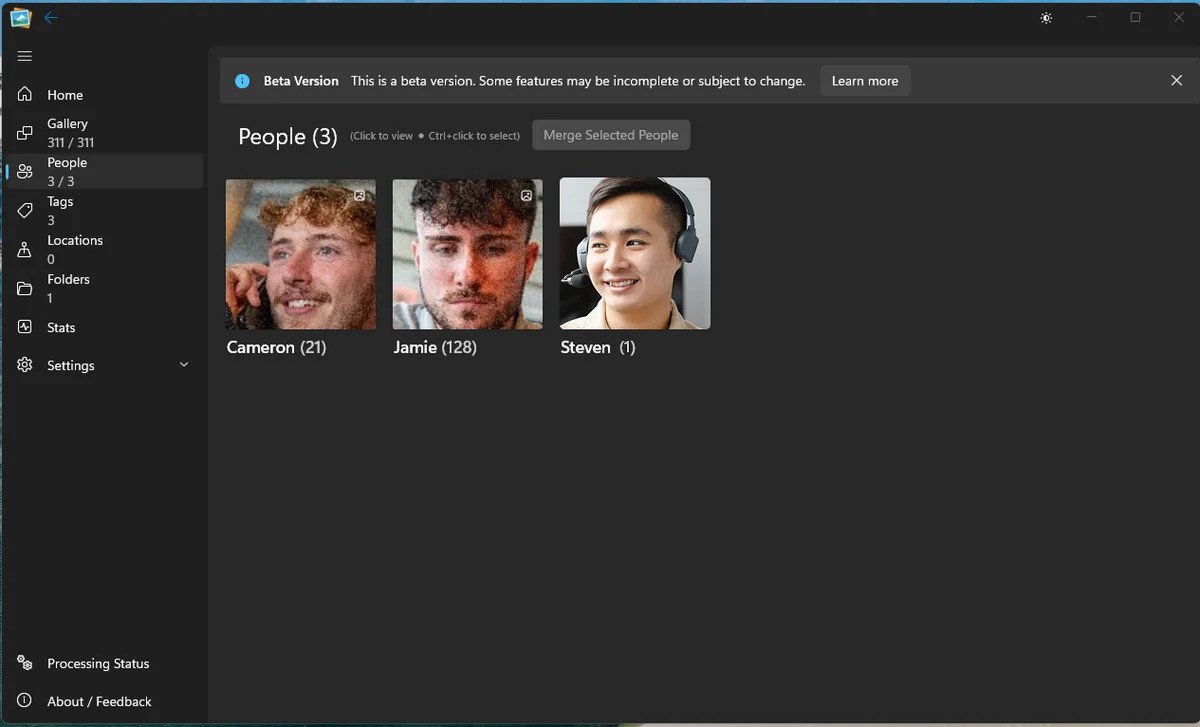
Live Gallery groups faces on your machine — no internet round trip and no cloud face database. Tag someone once and find every photo they appear in.

  • Runs entirely on your hardware
  • Name people once, find them forever
  • No face data leaves the device
People view in Live Gallery showing named faces and photo counts

Tags & ratings

Twenty years of organisation, intact.

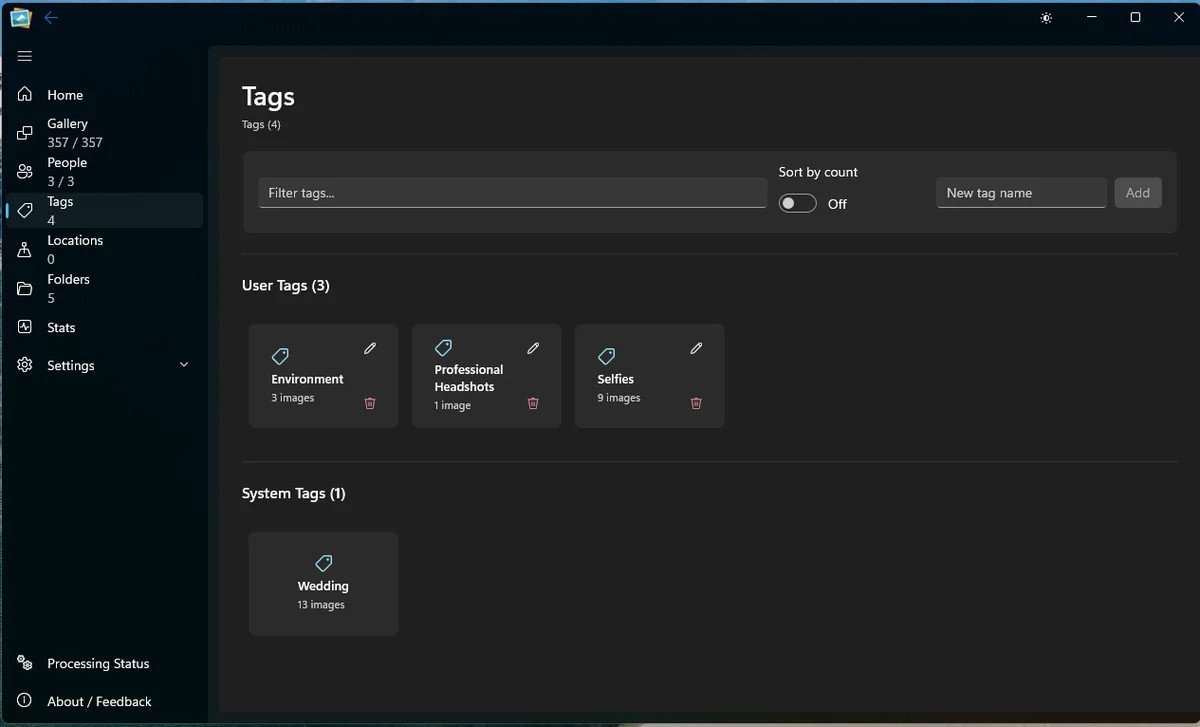
Tags, ratings and folders work together. Your system stays legible, whether you inherited it from another app or built it yourself.

Tags view in Live Gallery with user tags and system tags

Filters

Filter by who, where and when.

Filter by person, tag, folder or date. Results land immediately, because the index is already on your machine.

Appearance

At home in Windows 11.

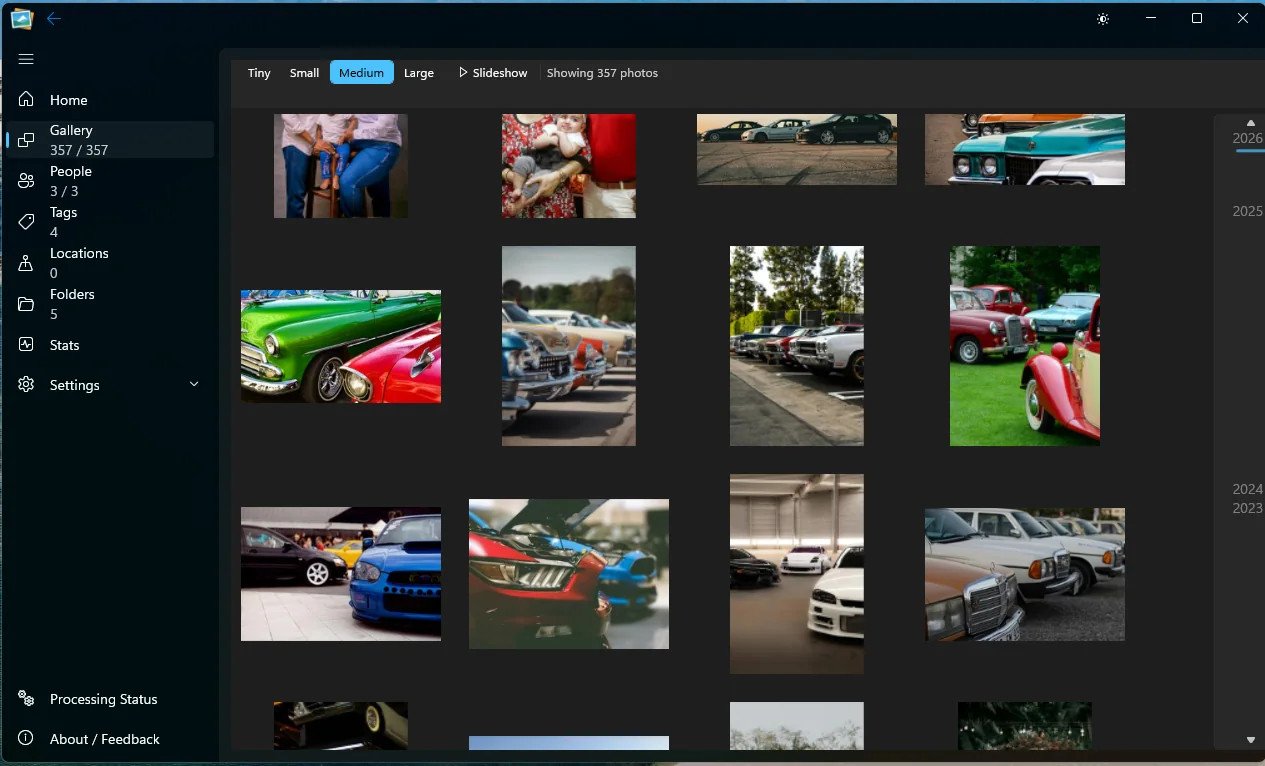
Light and dark modes, with Mica materials that pick up the tone of your desktop instead of fighting it.

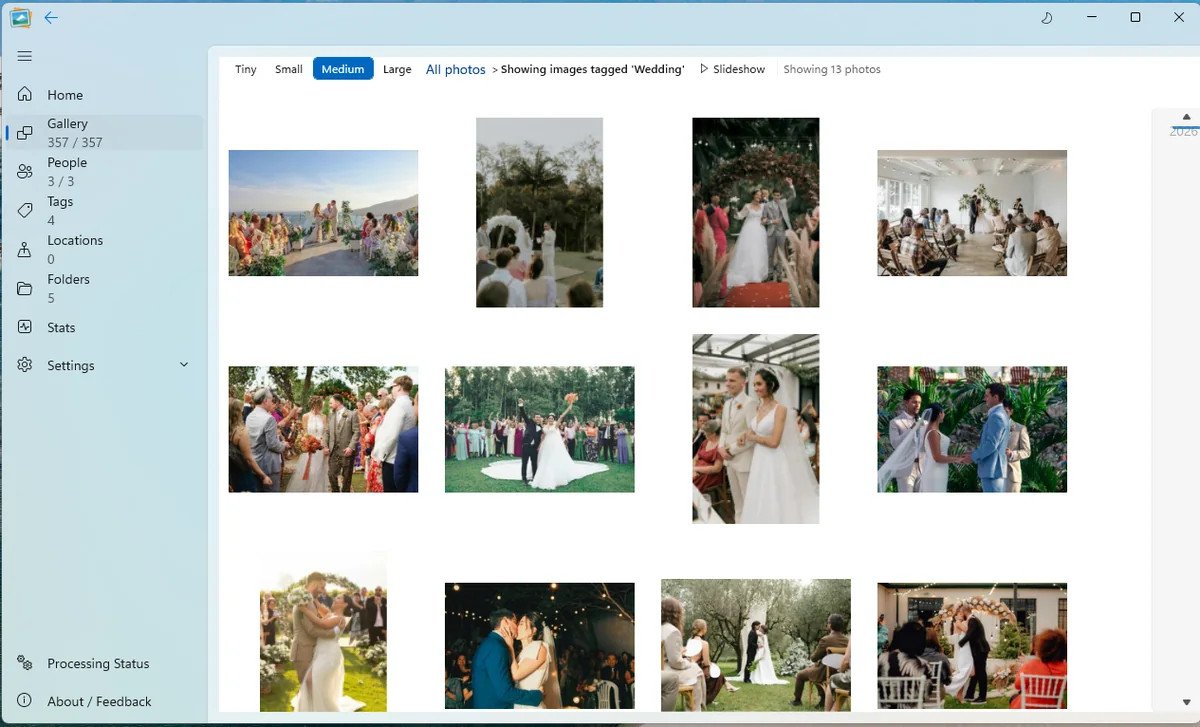
Light mode gallery view
Light
Dark mode gallery view
Dark

Formats

Every format in the folder.

Old JPEGs, new HEICs and RAW files from a proper camera can live in one library. No conversion step before you can browse.

JPEGRAWHEICPNGWebPTIFFBMP
All supported formats

The library view

Eight thousand photos. Still quick.

A proper photo grid, not a feed. Resize from tiny to large, move through years, switch folders and jump between people without waiting for a page to load.

  • Tiny, small, medium and large thumbnail modes
  • Timeline browsing by year
  • Folders, people, tags, locations and stats in one sidebar
  • Slideshow and full-screen views built in
Explore the features
Live Gallery grid view with different thumbnail sizes and a folder filter
Gallery · Folder: Holidays · 8,491 photos
TinySmallMediumLarge
A wall of framed photographs above a desk in a photographer's studio

The library view

A library you can walk into.

No algorithm, no infinite feed, no upload queue. Folders, faces, dates and the photographs you chose to keep.

See how the library works Photo: Baris Kilinc / Pexels

Coming home

Your old tags are still in there.

When Microsoft retired Windows Live Photo Gallery, it did not erase the organisation you had built. Tags and people names were written into the files themselves. Live Gallery reads them back on the first scan.

  • No manual re-tagging of an old library
  • People and tags restored together
  • Nothing sent to a server to make it work
  • Works with folders on any drive
See how features work
Windows Live Photo Gallery · 2009–2017
People & tags found in files 14 items
SarahMumItaly 2009WeddingCornwallChristmasFilmDad
Reading embedded metadata
Live Gallery libraryPeople & tags restored automatically
Your organisation was never the app’s to lose.
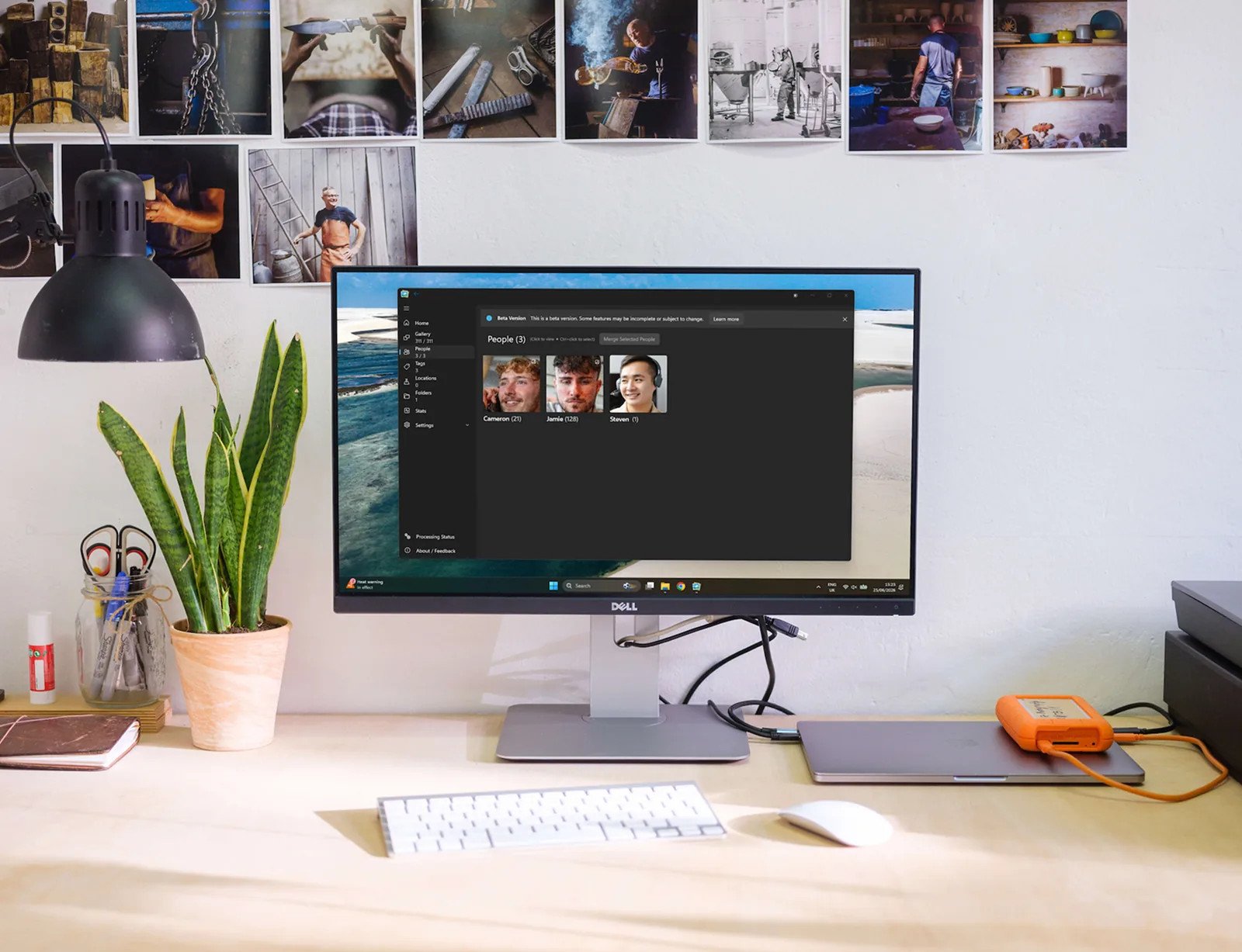
A desktop photo editing setup with a large monitor showing a photo library and prints pinned above it

For photographers

Real cameras. Real libraries.

RAW alongside JPEG. Years of files across drives. A library too big for a phone gallery and too personal to hand to a subscription service. Live Gallery is built for that library.

Built for photographers

Simple by design

Try it free. Keep it forever.

The beta is free for up to 5,000 photos. When the paid tiers arrive, they will be one-time licences — not another monthly subscription for your own library.

Free

Beta

$0

Up to 5,000 images with the public beta feature set.

Start here

Home 1M

Most capacity

$99

Up to 1,000,000 images, with every format included.

Compare the tiers

Public beta is free. Paid licences are coming soon; registering interest does not take payment.

Good questions

Every question, answered.

What does “read-only source” mean?

Live Gallery treats the folders you add as read-only. It does not create, modify, rename, move or delete files inside your source folders. It writes only its own index, thumbnails and cached crops under the app-data folder.

Does Live Gallery copy or import my photos?

No. You point it at folders that already exist; the app indexes them in place. There is no import queue and no second copy of the archive. A terabyte of photos does not become two terabytes.

Will it change or delete my originals?

No. It reads the files. The app does not rewrite pixels, rotate the original, write XMP/IPTC, or remove files from your folders. Removing a folder from the app removes its catalogue entries, not the folder on disk.

Is it really offline?

Yes. The library is read and indexed on your PC. The photo app contains no network code, does not upload photos, and does not require an account. The separate installer and updater handle downloads and updates.

Where is the library database and thumbnail cache?

Under the app-data folder, not inside your photo folders. The catalogue is a standard SQLite database; thumbnails and face crops sit beside it. Your source folders stay exactly as they were.

Is the database proprietary?

No. Live Gallery uses SQLite, a standard local database file. The schema is specific to Live Gallery, so another photo app will not read its edits, but the file itself is not a proprietary server database.

Does Live Gallery write tags or ratings back into my files?

No, and metadata write-back will not be supported. The source folders are read-only; new tags, ratings and descriptions stay in the local SQLite database. Export is a separate coming-soon tool.

Can I export photos?

Not yet. The export tool is coming soon. It is planned to export all or a portion of the library, filter duplicates as it goes, organise by year or year/month, resize or crop to a maximum such as 1080p, choose a format or target file size, and embed metadata in the exported copies.

Can I browse by face?

Yes. The People page shows named, suggested and unknown people. Open a person to see their photos, or use the People view as the face browse surface.

Can I browse by tag?

Yes. The Tags page groups user tags and system tags with counts. Open a tag to see the matching photos, then combine it with a folder or date filter.

Can I browse by location?

Yes, where the photo carries GPS. Locations groups photos by country, region and city using offline reverse geocoding. A photo with no GPS is not guessed from its pixels.

Is there a free-text search box?

Not yet. Free-text search is coming. The current find surface is browsing by face, tag or location, with folder and date filters.

Is object recognition available?

Not in this release. Object recognition and content-aware search are coming. They are not part of Beta 2.

Does it read Windows Live Photo Gallery and Picasa metadata?

Yes, where that metadata is present. The reader understands Windows keywords, XMP subjects, IPTC keywords, WLPG face regions and Picasa .picasa.ini sidecars. It does not invent metadata that was never written.

How do I rate a photo?

Ratings run from one to five stars. Ctrl+R cycles the rating on the selected photo, and the Rated facet narrows the gallery to the rated set. Ratings are stored in the local database; they are not written back to the file.

Can I use the timeline and slideshow?

Yes. Timeline groups photos by date and year; slideshow offers Fade, Zoom, Polaroid and Polaroid Table. Both are views over the local library.

What happened to albums?

The app has no separate Album entity or album page yet. Picasa album names are imported as tags, so the organisation is not lost; it is represented differently.

How does duplicate detection work?

It is an optional content-hash scan. Exact duplicates use a SHA-256 hash; a perceptual hash can surface visually similar copies. It is off by default, and matches are shown for review before removal.

Are all formats included on every tier?

Yes. All 76 supported formats are included on every tier. The difference between tiers is the image cap, not the format list.

What are the image limits?

The free public beta is capped at 5,000 images. Home is planned at 100,000 images for $49. Home 1M is planned at 1,000,000 images for $99. Paid licences are not on sale yet.

Is this a subscription?

No. The planned paid licences are one-time purchases. The beta is free. Bug and security fixes are free; optional future feature upgrades are a separate purchase.

Is Live Gallery a backup tool?

No. It is a library manager. Your originals stay in the folders your backup already covers, but you still need an independent backup. The app is not a substitute for one.

What does it run on?

Windows 11. Live Gallery is a desktop app, not a web app or a mobile app.

Do you read feedback?

Yes. Beta feedback is read by the person building the product and shapes what gets fixed next. Include the steps that reproduce a bug if you can.

Read the detailed FAQ

A proper home for your library

Your photos have waited
long enough.

Download the free beta and point it at a folder. No account, no upload, no waiting for someone else’s server.

Windows 11 · Free 5,000-photo beta · No account needed